
The Bridge Between Excel and Outlook
The Bridge Between Excel and Outlook
Take control of your Outlook calendar with the power and speed of Excel, Online or Desktop. Bulk edit, analyze, and enrich your calendar data in minutes, not hours.
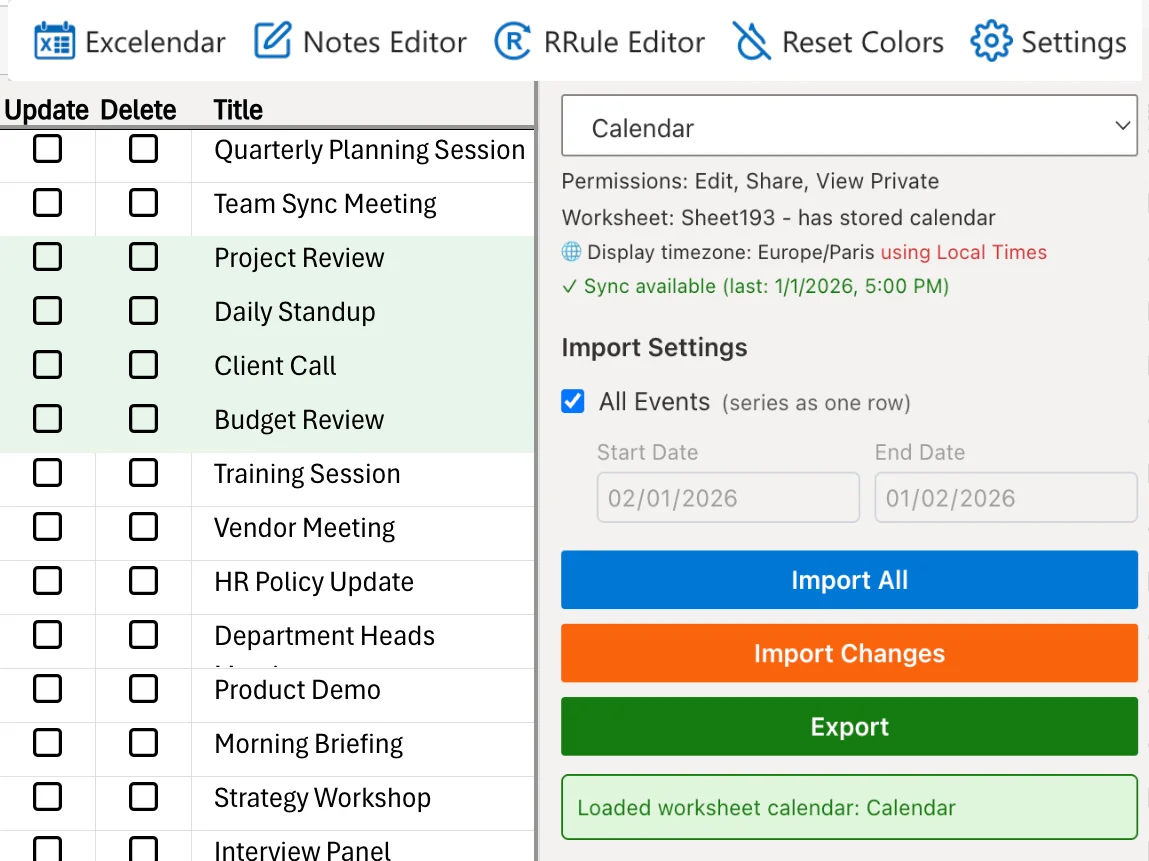
Welcome to Excelendar
A quick overview of what Excelendar can do for you.
Excelendar brings your Outlook calendar into Excel, giving you the power to view, edit, and manage your events in a familiar spreadsheet format.
Who is it for?
- Professionals analyzing time and meeting patterns
- Anyone who prefers calendar data in spreadsheet format
- Users who need to bulk-edit multiple events
- Users tracking custom data for calendar events
- Anyone creating events from existing spreadsheet data
Add-in & Web App available in
Key Features
Import from Outlook
Pull your calendar events into Excel with one click.
Export to Outlook
Create or update calendar events directly from your spreadsheet.
Bulk Editing
Edit multiple events simultaneously using Excel's familiar tools.
Flexible Date Ranges
Import events from any date range you choose.
Two-Way Sync
Keep your Excel data and Outlook calendar in sync.
To view this entire website in your language, right-click anywhere on the page and select "Translate to [your language]".
Two Powerful Tools, One Subscription
Every Excelendar subscription includes both the Excel Add-in and Web App. Use them together or separately depending on your needs.
See Both Tools in Action
Watch DemoWhether you prefer working in Excel or need a standalone web interface, Excelendar gives you powerful calendar management capabilities.
Excel Add-in
- Add custom columns, formulas, and charts to your calendar data
- Save workbooks to build on and refine over time
Web App
- Mass edit events and remove duplicates
- No Excel installation required
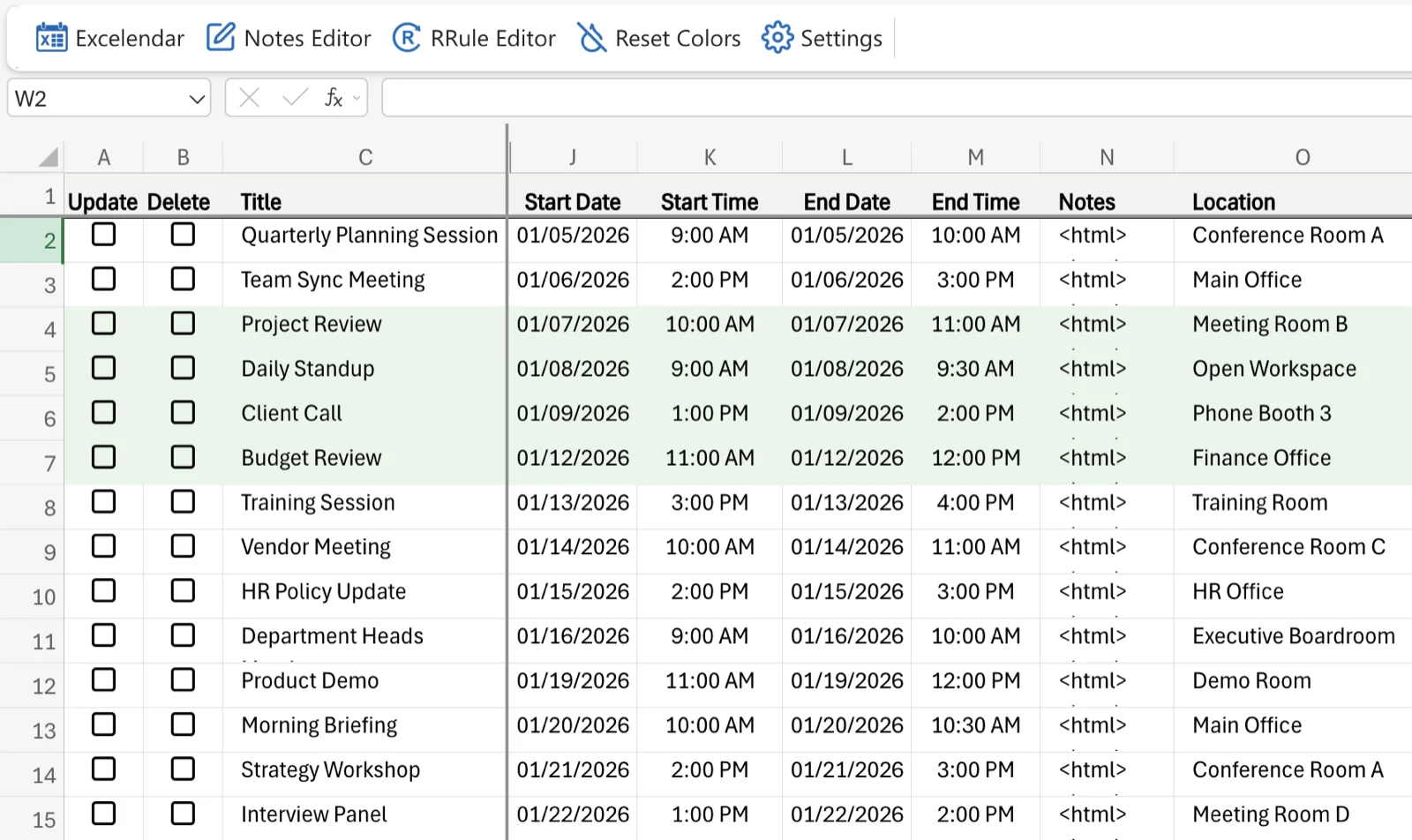
Powerful Features for Power Users
Both tools share the same powerful engine with bulk operations, advanced recurrence patterns, and timezone handling. Hosted on Microsoft Azure™ for reliability and security.

High-Performance Bulk Operations
Perform bulk imports and exports with native speed. No more slow, individual API calls found in other automation tools.

Advanced Timezone Handling
Local Dates/Times & Event Dates/Times. Perfect for international travel and global business management.

Complex Recurrence Patterns
Full support for recurring events with a built-in visual RRule Editor. Handle complex patterns without coding.

Property Support
Manage most Outlook event properties including Repeat Rules, Categories, Attendees, Importance, Sensitivity, and Reminders.
Excelendar vs. Power Automate
While Microsoft Power Automate is a general purpose tool, Excelendar is built specifically for Calendar management.
We handle the heavy lifting of bulk API calls, timezone conversions, and complex recurrence patterns so you can focus on planning.
- No coding required: Intuitive taskpane interface
- Native Speed: Bulk operations vs individual API flows
- Conflict-Free: Manual two-stage sync process
| Feature | Excelendar | Power Automate |
|---|---|---|
| Bulk Operations | Native bulk import/export | Individual event processing (Slow) |
| Setup Difficulty | No coding, simple taskpane | Requires flows & technical knowledge |
| Recurrence Support | Custom RRule Editor | Basic support, complex logic required |
| Speed | Optimized for Excel (Fast) | Limited by API calls (Slow) |
| Timezone Handling | Advanced (Display vs Event) | Basic, error-prone |
| Column Flexibility | Move, rename, hide columns | Fixed output structure |
How It Works
Get up and running in less than 5 minutes.
Install & Authenticate
Install Excelendar and open the taskpane. Sign in with your Microsoft account (supports both personal and Microsoft 365 work/school accounts).
Import Your Calendar
Select a calendar and date range. Events are imported into rows, with properties mapped to columns.
Manage & Edit
Edit dates, times, descriptions and more directly from Excel, individually or in bulk. Use the RRule editor for recurring events.
Export to Outlook
Click "Export" to push your changes back to Outlook. Delete events by checking the delete column.
Simple, Transparent Pricing
Choose the plan that works for you
Monthly
Cancel at any time
- 14-day free trial
- Excel Online & Desktop
- Web App included
- Unlimited events
- Bulk import/export
Yearly
Best value
- 14-day free trial
- Excel Online & Desktop
- Web App included
- Unlimited events
- Save $20/year
Business
Per user, billed by Microsoft
- 1-month free trial
- Excel Online & Desktop
- Web App included
- Admin license mgmt
- Microsoft 365 billing
Start Your Free Trial Today
Get full access to both the Excel Add-in and Web App.
Available for Business and Personal Microsoft accounts.